
Vincen - Your Super AI Agent
Apptribe DijitalProductivity
4.514.00 Reviews
- Version
- 1.0.7
- Installs
- 10.00K
- Age Rating
- Everyone
Screenshots
Our Review of Vincen - Your Super AI Agent
 Analysis by Appyee
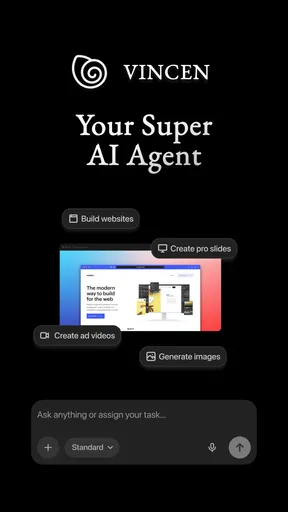
I approached Vincen - Your Super AI Agent as a productivity app for people who want to move from a rough idea to something presentable without switching between several creative tools. Its promise is broad: creating websites, slides, and videos from one place. After spending time with that concept, my view is straightforward: Vincen is most appealing when you want a fast first version and do not want to wrestle with a blank canvas, but it is less convincing as a complete replacement for specialized software.
That distinction matters. A tool that can help shape different kinds of content is useful, yet the quality of the experience depends on how much control you need after the first draft. I found the app easier to appreciate as an idea-to-output assistant than as a full professional production suite. For students, solo creators, small teams, and busy users who need a starting point quickly, that can be a very practical trade-off.
Where Vincen fits into a real productivity routine
Vincen is listed as a free productivity app from Apptribe Dijital, with an Everyone age rating and support for devices running Android 7.0 or later. Its current version is 1.0.7, and the app has passed the early discovery stage with over ten thousand installs. A 4.5 average from more than seven hundred ratings suggests that many early users find the central idea worthwhile, although the smaller review count means I would still treat the public reception as an early signal rather than a final verdict.
The most useful way to understand it is as a bridge between planning and making. Instead of opening a website builder, a presentation editor, and a video tool separately, I can begin with the same basic material and decide which format makes sense. That is valuable when the content matters more than the production process. A local event announcement, a simple product explanation, or a short educational topic may need several outputs, but not necessarily three completely different creative workflows.
In everyday use, I would start with a clear brief rather than a vague request. For example, if I were preparing a small community workshop, I might first describe the audience, the purpose, the main points, the tone, and the information that must remain unchanged. From there, a website could act as the central information page, slides could support the talk, and a video could provide a short invitation. The important insight is that the first prompt should contain the shared facts. Otherwise, I would spend more time correcting inconsistencies between formats later.
This is one of Vincen’s strongest practical ideas: use one content brief as the source, then adapt the result for each format. That approach is more efficient than writing each asset independently, especially when the same names, dates, instructions, or selling points appear repeatedly. It also makes it easier to notice when one version has drifted away from the original message.
The advantage of starting with structure instead of decoration
Many creative apps make users choose colors, layouts, and templates before they have decided what they are actually trying to say. An AI-based assistant can reverse that order. I found the concept more useful when I treated Vincen as a planning partner first and a design tool second. A good request should define the audience and the desired action before mentioning visual style.
For a presentation, that might mean asking for a short sequence that explains a problem, presents a solution, and ends with a clear next step. For a website, I would specify the sections a visitor needs to find immediately. For a video, I would describe the intended length in ordinary language, the opening message, and the final action. These details give the app a better foundation than simply asking it to “make something professional.”
A second non-obvious benefit is that the same workflow can expose missing information. If a draft feels empty, the problem may not be the design; it may be that the original idea lacks examples, evidence, or a clear audience. I would use the first result as a diagnostic. Instead of polishing it immediately, I would ask myself which part feels generic and then improve the brief. That saves time compared with endlessly adjusting a weak layout.
There is also a useful trade-off here. Vincen can reduce the friction of beginning, but a fast beginning is not the same as a finished project. I would expect the first result to need review for wording, order, emphasis, and visual balance. The app is most valuable when it shortens the distance to a workable draft, not when I expect it to remove editorial judgment entirely.
How I would use it for websites, slides, and videos
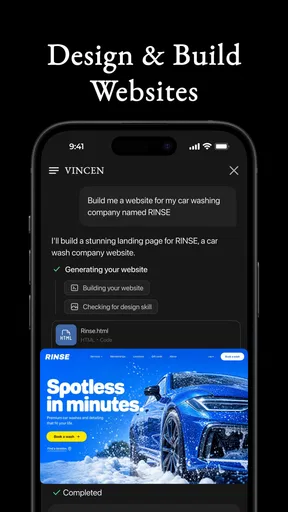
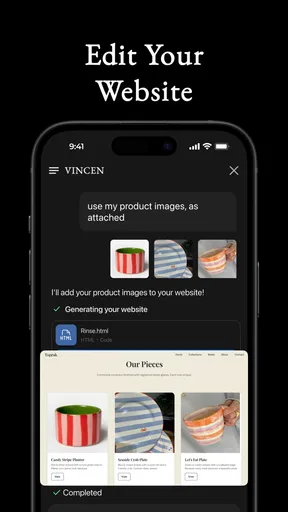
For a website, I would use Vincen when the goal is a focused information page rather than a large, complex site. A service overview, event page, personal introduction, or campaign landing page is a sensible fit. I would prepare the essential copy first: what the visitor should understand, what action they should take, and which details must be prominent. The more specific that material is, the less likely the result is to feel like a generic page.
The main strength in this scenario is speed of organization. A blank page often creates unnecessary work because I have to invent the page hierarchy and the wording at the same time. Starting with a generated structure lets me judge the flow earlier. I can then remove sections that do not help the visitor instead of decorating them simply because they exist.
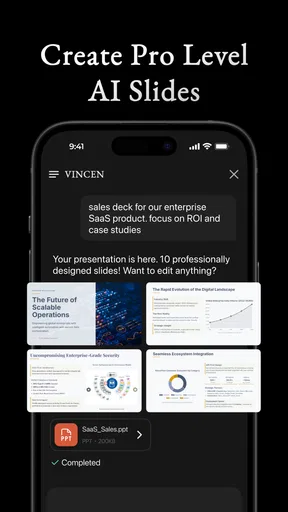
For slides, the app seems better suited to a concise explanation than to a highly customized presentation with complex charts or strict brand rules. I would use it to create a narrative spine: opening context, key points, examples, and conclusion. Then I would check every slide for one specific question: can the audience understand its purpose in a few seconds? If not, the problem is usually too much content, not a lack of visual effects.
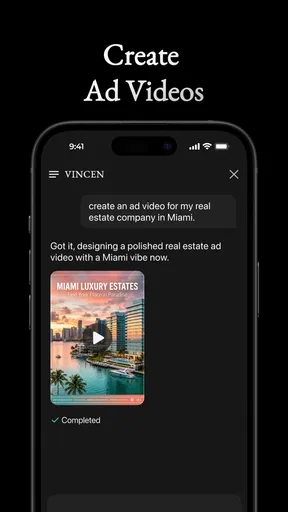
For video, I would approach the result as a draft of the message and sequence. Before sharing anything publicly, I would verify names, claims, timing, captions, and the relationship between the spoken idea and the visuals. Video can look finished while still communicating poorly, so I would pay particular attention to the first moments and the closing instruction. A polished appearance cannot rescue an unclear purpose.
These three formats also reveal when Vincen may not be the right choice. If I need detailed timeline editing, advanced motion control, precise slide alignment, complex website behavior, or strict design-system compliance, a dedicated application will probably offer better control. Vincen’s appeal is the connection between formats, not necessarily the depth of every individual editor.
A realistic scenario: turning one idea into a small campaign
Imagine I run a weekend language workshop and need to promote it with limited time. I could begin by writing one compact brief: who the class is for, what learners will practice, when it takes place, what they should bring, and how to register. I would ask Vincen to organize that information for a simple website, a presentation for the first session, and a short promotional video.
After reviewing the outputs, I would not publish them immediately. I would compare the three versions side by side. Does the website answer practical questions? Do the slides support teaching rather than repeat the advertisement? Does the video communicate the benefit quickly? This comparison is where the app becomes more than a shortcut. It helps me see whether the same idea works across different contexts.
I would also keep a small “fact check” list beside me. Every proper name, schedule detail, instruction, and registration step would be checked against the original brief. This is a simple but important habit with any AI-assisted workflow. It prevents a visually attractive draft from becoming a source of confusion.
For a solo organizer, that process could be much faster than building three assets from scratch. For a larger organization with an established brand team, the benefit may be smaller because the team already has templates, approval steps, and specialized tools. Vincen makes the most difference when the alternative is delay, not when the alternative is an experienced production department.
The friction I would not ignore
The broad scope is also the app’s main weakness. “Websites, slides, and videos” covers very different creative needs. A tool can make the first step easier across all three while still feeling shallow in the details. I would not choose it expecting the same level of control I get from a dedicated website builder, presentation editor, or video editor.
There is another limitation that comes with AI-assisted creation: the quality of the result depends heavily on the quality of the instruction and the review afterward. Users who want to type one vague sentence and receive a publication-ready asset may be disappointed. I found that specificity improves the starting point, but it also means I still need to think like an editor. The app helps with execution; it does not replace decisions about accuracy, audience, or taste.
The pricing model deserves attention as well. Vincen is free to install, while in-app purchases range from $9.99 to $499.99 per item. That is a wide range, so I would check the available plan and the limits attached to the workflow I actually need before committing to regular use. A free entry point is helpful for testing the concept, but users planning frequent or business-critical creation should consider the potential cost carefully.
I would also avoid assuming that every generated format will be equally strong for every project. A short presentation may be easier to refine than a complete website, while a video may require more manual checking because pacing and visuals affect one another. My advice is to test the format that matters most to you first. If that output fits your needs, the broader workflow becomes more attractive; if it does not, the ability to create other formats may not compensate.
Privacy and content responsibility are practical considerations too, even when they are not visible in the creative result. I would avoid placing sensitive personal information, confidential business material, or unpublished details into an AI workflow unless I had read the relevant terms and understood how the service handles that material. For ordinary planning and public-facing drafts, the risk is easier to manage. For confidential work, I would prefer a tool and process that my organization has explicitly approved.
Who will get the most from it
I would recommend Vincen first to people who regularly need several kinds of content but do not want to master several separate applications. A student preparing a project, a freelancer shaping a proposal, a small business owner promoting a service, or an organizer preparing an event can all benefit from a faster route to a coherent first draft.
It is especially suitable for users who are comfortable reviewing and editing generated work. You do not need to be a designer, but you do need to recognize when a sentence is unclear, when a section is unnecessary, or when a visual choice does not serve the message. The app can lower the technical barrier; it cannot supply your knowledge of the audience.
I would be more cautious about recommending it to a professional designer, video editor, developer, or communications team that needs exact control from beginning to end. Those users may appreciate it for brainstorming or early outlines, but a specialized tool is likely to remain better for the final production stage. The same applies to anyone who dislikes iterative prompting and would rather construct every element manually.
Because the content rating is Everyone, it is positioned broadly enough for general users, but that does not mean every project is equally appropriate for an automated workflow. Younger users and beginners should still review generated material with a teacher, parent, or experienced adult when accuracy matters. The friendly entry point should not be confused with automatic correctness.
My verdict after weighing speed against control
Vincen is a promising productivity companion with a clear practical advantage: it connects the creation of websites, slides, and videos around one idea. I like that direction because many real projects need a family of related assets, not just one isolated file. When I use a strong brief and treat the output as a draft, the app has the potential to save meaningful setup time.
My recommendation comes with a firm condition: choose it for momentum and coordination, not for unlimited creative control. The free starting point makes it easy to explore, while the in-app purchase range means I would investigate the cost of sustained use before building an important workflow around it. Users should also expect to fact-check, revise, and sometimes move the final work into a more specialized tool.
With over ten thousand installs and a 4.5 average from more than seven hundred ratings, Vincen has enough early interest to deserve a serious trial. I would suggest starting with one modest project, such as a short presentation or a focused information page, and judging the quality of the first draft and the effort required to refine it. If you value quick structure across multiple formats, Vincen - Your Super AI Agent is worth trying. If precision, advanced editing, or strict brand control matters more than speed, I would keep a dedicated alternative in your workflow.
For me, the final judgment is positive but measured. Vincen works best as an idea-to-draft accelerator. It can help turn a scattered plan into something visible and usable, which is often the hardest part of starting. Just remember that the last layer—accuracy, judgment, personality, and polish—still belongs to you.
Verdict
Strengths of Vincen - Your Super AI Agent
- Handles complex requests with conversational, natural-language interactions.
- Can help organize ideas, tasks, and information in one place.
- Useful for brainstorming, drafting, and summarizing everyday content.
- May reduce the need to switch between several productivity tools.
- Accessible to users who prefer voice or chat-based assistance.
Limitations of Vincen - Your Super AI Agent
- AI responses can occasionally be inaccurate or require fact-checking.
- Some advanced features may depend on a subscription or usage limits.
- Privacy concerns may arise when sharing personal or sensitive information.
- Performance and answer quality can vary with difficult or vague prompts.
- Requires an internet connection for most AI-powered functions.
Similar Picks in This Category
View All
Google Calendar
Google LLC4.6

Google Drive
Google LLC4.3

Google Assistant
Google LLC3.9

Microsoft OneDrive
Microsoft Corporation4.6

Samsung Calendar
Samsung Electronics Co., Ltd.4.1

Microsoft OneNote: Save Notes
Microsoft Corporation4.6
Frequently Asked Questions
What is Vincen – Your Super AI Agent, and what can it do?
Vincen is an AI-powered assistant designed to help with everyday tasks, questions, writing, brainstorming, planning, and information discovery. Depending on the features available in the current version, users may be able to interact with it through text and possibly voice, ask for explanations, generate content, summarize information, or receive practical suggestions. Its usefulness depends on the quality of your prompts and the app’s available integrations.
Is Vincen free to download and use?
Vincen may be free to download, but some tools, usage limits, advanced AI models, or premium features can require a subscription or in-app purchase. Before using the service extensively, check the pricing page and subscription terms shown in the app store or inside the application. Also review whether a free trial automatically changes into a paid plan after the trial period ends.
Does Vincen require an internet connection?
Yes, an internet connection is generally required because AI requests are processed through online services rather than entirely on your device. The app may work over Wi-Fi or mobile data, but response speed and reliability can vary depending on your connection and server availability. Offline access, if offered, may be limited to previously saved content or basic app functions.
How does Vincen handle my conversations and personal data?
Before sharing sensitive information, review Vincen’s privacy policy and the permissions requested during setup. Conversations may be transmitted to the provider’s servers to generate responses, and some data may be stored for account management, service improvement, or conversation history. Avoid entering passwords, financial details, confidential work documents, or other private information unless you understand how it is collected, retained, and used.
Can I rely on Vincen for accurate advice and important decisions?
Vincen can be helpful for explanations, ideas, drafts, and general guidance, but its responses may occasionally be incomplete, outdated, or incorrect. Treat generated information as a starting point rather than a guaranteed authority. Verify medical, legal, financial, academic, or safety-related answers with qualified professionals and trustworthy sources before acting, especially when a mistake could cause harm or financial loss.
